DaVinci - AI Image Generator
HubXArt & Design
3.67.86K Reviews
- Version
- 5.0.3
- Installs
- 10.00M
- Age Rating
- Everyone
Screenshots
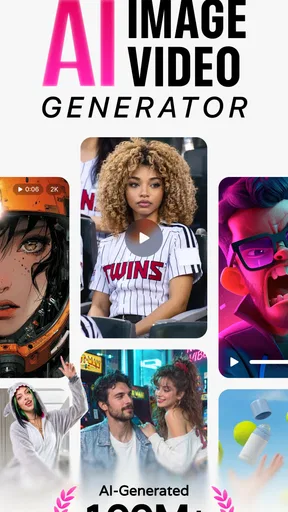
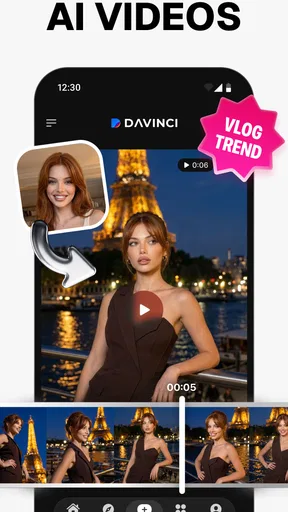
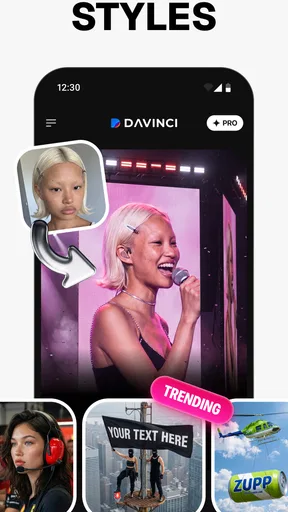
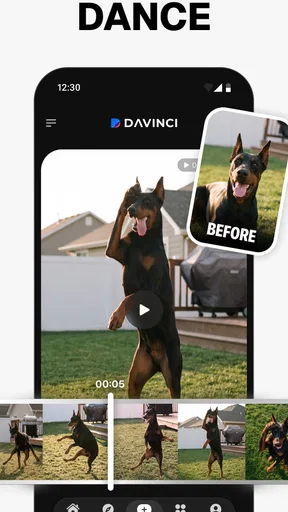
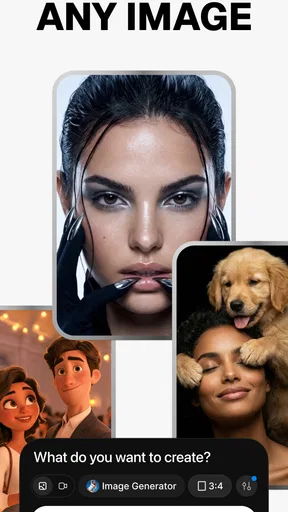
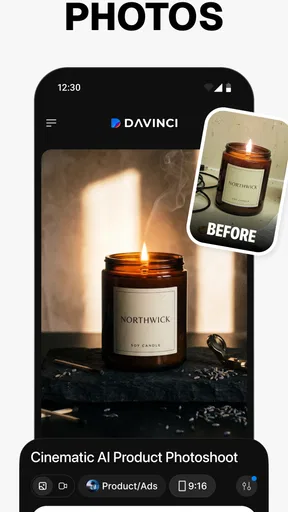
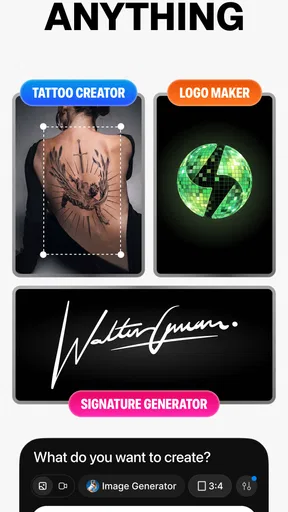
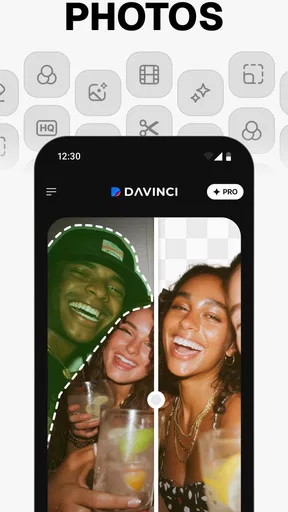
Our Review of DaVinci - AI Image Generator
 Analysis by Appyee
I judge an AI art app less by its flashiest result than by what happens when the first prompt misses the mark. That’s where DaVinci - AI Image Generator is most useful to assess: it makes quick visual experiments approachable, but getting an image that feels intentional still takes some thought. I’d treat it as a sketching partner rather than a button that reliably reads your mind.
When a prompt or result feels stuck
The main early hurdle is often deciding what to ask for. A broad idea such as “a magical city” leaves plenty of room for the generator to choose its own subject, mood and composition. That can be fun when you want a surprise, but frustrating if you have a specific picture in mind. I get more control by describing the subject first, then adding a setting and a visual direction in plain language. For example, a small bookshop at dusk, seen from the street, with warm window light gives the idea more shape than a string of vague adjectives.
If the result is close but not quite right, I would change one part of the description at a time rather than rewriting everything. That makes it easier to notice which wording seems to steer the outcome. It also gives the app room to interpret the rest, which is part of the appeal. I wouldn’t expect a prompt to reproduce a precise layout or a finished brand asset; this is a more natural fit for exploration than exact art direction.
Simple checks before you start creating
Before building a long prompt, I’d first try a short one and explore the available styles. That separates two questions: whether the basic idea works and whether a particular look suits it. If you start with a complicated description and an unfamiliar style at the same time, it can be hard to tell what caused an unexpected image. A small first experiment gives you a useful reference point without making the process feel like trial and error for its own sake.
It’s also worth checking which parts of the experience are available without paying before you settle into a routine. DaVinci is free to download, while in-app purchases range from $2.99 to $349.99 per item, so I’d pay attention to any purchase screen and decide what, if anything, is worth it for your needs. The app is developed by HubX and sits in the art-and-design category; its Everyone age rating makes it suitable for a broad audience, though that doesn’t mean every generated image will match every family’s preferences.
Recovering a creative workflow
When a generation disappoints, I find it more productive to treat it as a draft than as a failed final. Keep the useful part of the idea, such as the subject or atmosphere, and simplify the rest. Then try a different style or adjust the wording. That approach is particularly handy when making a few options for a personal project: a phone wallpaper, a mood board or an illustration concept. You can compare directions before spending time polishing one of them elsewhere.
For a more deliberate result, I’d decide what the image is for before I begin. A playful social post can benefit from an unexpected composition, while an image meant to sit beside text needs room and a clear focal point. If the first attempt puts the subject in the wrong place, describing the viewpoint or scene more clearly may help, but I wouldn’t assume the app offers precise placement controls. The practical trade-off is that quick generation encourages experimentation, while exact composition may call for a conventional drawing or editing tool.
Knowing when another factor is involved
Not every frustrating result means the app itself is at fault. A vague prompt can produce a vague interpretation, and an image that misses your taste may simply reflect the style you selected. I’d make one careful change and try again before deciding the generator is unsuitable. If the app is behaving unexpectedly, a basic restart and checking that it is up to date are sensible first steps; they are general troubleshooting habits, not a promise that they will resolve every issue.
Device compatibility is another practical consideration. The current version is 4.4.1, and the minimum Android requirement is 7.0. I’d check that before installing on an older Android phone. The app has an average rating of 3.6 from around 184,000 ratings, alongside roughly 7,700 written reviews, and has passed 10 million installs. Those figures suggest plenty of people have tried it, but they don’t tell me whether it will suit your particular prompts or workflow; a few of your own test generations are a better guide.
Exploring the Creative Canvas
So, first things first, when you open up DaVinci - AI Image Generator, you're greeted with an interface that's as sleek as a new paintbrush. It's user-friendly, which is a huge plus if you're like me and occasionally need a bit of guidance with tech. The app offers a variety of styles and templates to start your digital masterpiece. Whether you're into surreal landscapes or funky abstract art, there’s something here to tickle your creative fancy.
The real magic happens when you start playing around with the tools. You can choose from different art styles – think Van Gogh meets digital wizardry. It's all about experimenting and letting the AI do its thing. And trust me, it does its thing well. The AI analyzes your input and morphs it into something that looks like it should be hanging in a gallery.
Features That Stand Out
One of the features I found particularly cool is the ability to adjust the level of AI intervention. You can go all-in and let the AI take the reins or dial it back and add your personal touch. This flexibility is perfect for those who want to mix tech with their unique style. Also, if you’re feeling stuck, there’s an inspiration section filled with user-generated art that might just get the creative juices flowing.
Another neat feature is the social aspect. Once you've created your masterpiece, you can share it with the app’s community or on your social media. It's like Instagram, but for art nerds. And let me tell you, getting feedback from other art enthusiasts is a real ego boost!
Performance and Usability
Performance-wise, the app runs smoothly on both Android and iOS. I tested it on my slightly outdated phone and it didn’t miss a beat, which is impressive considering the complex processing happening behind the scenes. The developers did a stellar job optimizing it for various devices, ensuring everyone can get a taste of digital artistry.
One thing I noticed is that while the app is free to download, there are in-app purchases. Some advanced features and styles require a subscription. It’s not a deal-breaker, but something to keep in mind if you’re on a budget. That said, the free version is robust enough to create some seriously stunning art without spending a dime.
Bringing Art to Life
Using DaVinci - AI Image Generator is like having a creative partner. It’s fascinating to see how the AI interprets your ideas and transforms them into art. I’ve spent hours just playing around, and it’s incredibly satisfying to see the final results.
I even tried to recreate some famous art pieces with my own twist. The app’s AI does a fantastic job of recognizing patterns and colors, delivering a fresh take on classic art. It's both entertaining and educational, making you appreciate the intricacies of the artistic process.
Choosing the right tool for the job
For someone who wants to turn a passing idea into an image without learning a full drawing program, this kind of generator has a clear advantage: it lets you explore visual directions quickly. I’d use it to make a mood board for a story, test a few looks for a party invitation, or create a playful image to share with friends. The inspiration gallery can also help when I know the feeling I want but can’t yet describe it well. Looking at examples and then identifying a subject, palette or mood to try is more useful than copying a prompt blindly.
It isn’t a replacement for every art app, though. Compared with a drawing app, DaVinci asks me to describe an idea rather than build an image stroke by stroke. That is faster for broad concepts, but less satisfying when I want to control the exact position of every object. Compared with a general photo editor, it is better suited to making a new imaginative scene than refining a real photograph. If I needed precise lettering, a consistent character across a set of images, or production-ready brand artwork, I’d move to a tool designed for hands-on editing and final layout.
A small routine that saves time
My most useful habit is to separate idea-building from image selection. First I write a compact prompt with one clear subject and setting. Then I decide whether I want a recognizable, painterly or more abstract treatment, rather than asking for several conflicting looks at once. After seeing the result, I change just one ingredient. This makes each attempt informative, even when I don’t keep the image, and helps prevent the common cycle of adding more adjectives until the prompt becomes muddled.
For an everyday example, imagine I’m putting together a reading playlist and want a matching image to share. I could start with a quiet desk by a rainy window, then try a softer painted style if the first result feels too literal. I’d choose the version whose mood fits the playlist and share it as a casual visual, not assume it will automatically include clean, readable title text. That distinction matters: generated art can supply atmosphere, while captions and precise typography are better added in a separate editing step.
Who will enjoy it, and who may not
I think the app suits curious beginners, casual creators and artists who want a quick source of visual prompts. It is especially appealing if you enjoy trying several interpretations and can accept a little unpredictability. You don’t need to arrive with a polished brief; part of the fun is discovering an image you wouldn’t have planned. The free starting point also makes it reasonable to test whether that style of creation fits you before considering any paid items.
I’d be more cautious if you need dependable control, repeatable results or a carefully finished image on the first attempt. It may also frustrate someone who prefers drawing directly, or who wants a straightforward editor for photos they already have. In those cases, a conventional illustration or photo-editing app gives more direct control. For a project with strict visual requirements, I’d use DaVinci for rough concepts and take the strongest direction into a more precise tool.
What to expect from repeated use
The app’s appeal is not only the occasional striking result; it’s the short loop of describing, seeing and adjusting. That loop can make a blank page less intimidating, especially when I’m brainstorming alone. But I wouldn’t judge it by whether every output is a keeper. A useful session might simply show me that a subject works better as a moody landscape than as a bright illustration, giving me a clearer idea to pursue elsewhere.
Before sharing an image, I’d take a moment to look at it at full size and consider where it will appear. A detail that looks charming in a preview may be less clear when cropped for a post or placed beside text. If I’m making something for a practical purpose, I’d also keep an original version and avoid treating a quick AI result as a substitute for checking the finished layout. These small choices make the app more useful without expecting it to handle every part of a creative project.
The Final Stroke
In conclusion, if you’re looking to explore your creative side or just want to mess around with digital art, DaVinci - AI Image Generator is definitely worth a download. It’s an ingenious blend of technology and creativity that will keep you entertained for hours.
Whether you're a seasoned artist or a newbie looking for a fun way to create, this app provides a platform to unleash your imagination. So, grab your device and start creating. Who knows? You might just discover the artist within you!
My practical verdict
I’d recommend giving it a try if you want approachable, prompt-led art experiments and are happy to guide the result through a few small revisions. I would start with a simple concept, explore the styles, and decide whether the free experience is enough before spending anything. If the image needs exact composition or careful finishing, I’d treat the app as an idea generator and do that final work elsewhere.
Overall, my view is positive but measured: this is a playful way to turn words into visual starting points, not a guarantee of a polished image on demand. Its best results come when I bring a clear idea and a willingness to experiment. If that sounds like your kind of creative session, it’s worth trying; if you need precision above all, a hands-on art tool is likely the better fit.
Verdict
Strengths of DaVinci - AI Image Generator
- User-friendly interface for easy navigation.
- High-quality image outputs consistently.
- Wide range of style options available.
- Fast processing time for generating images.
- Regular updates with new features.
Limitations of DaVinci - AI Image Generator
- Requires a stable internet connection.
- Limited free version capabilities.
- Occasional glitches in image rendering.
- Subscription can be pricey for some users.
- Not suitable for low-spec devices.
Other Releases by HubX
View All
Home AI - AI Interior Design
Lifestyle4.3

AI Video - AI Video Generator
Photography4.5

MyTunes : AI Music Generator
Entertainment4.3

Chatbot - AI Smart Assistant
Productivity4.3
Similar Picks in This Category
View All
Canva: AI Photo & Video Editor
Canva4.8

PENUP – Drawing-sharing SNS
Samsung Electronics Co., Ltd.4.5

Crafto
Kutumb App4.6

Sketchbook
Sketchbook4.1

ibis Paint X
ibis inc.4.5

Adobe Express: AI Photo, Video
Adobe4.6
Frequently Asked Questions
What is DaVinci - AI Image Generator and how does it work?
DaVinci - AI Image Generator is an innovative app that utilizes artificial intelligence to create stunning and unique images from text prompts. By inputting a description, the AI interprets the text and transforms it into a visual representation, offering users an easy way to generate artwork without needing advanced graphic design skills.
Is DaVinci - AI Image Generator available for both Android and iOS devices?
Yes, DaVinci - AI Image Generator is available for download on both Android and iOS platforms. The app supports a wide range of devices, ensuring users can enjoy its features regardless of their preferred operating system. Check the app store on your device for the latest compatibility details.
What are some of the key features of DaVinci - AI Image Generator?
Some key features of DaVinci include a vast library of styles, intuitive text-to-image generation, and the ability to save and share creations easily. Users can explore different artistic styles, adjust parameters, and even collaborate with the AI to refine their images, making it a versatile tool for creativity.
Are there any limitations or drawbacks to using DaVinci - AI Image Generator?
While DaVinci offers impressive capabilities, it may have limitations in generating highly detailed or complex scenes. The quality of the output can vary based on the text prompt's clarity and specificity. Additionally, free versions might have restrictions on the number of images generated or access to premium styles.
Is there a cost associated with using DaVinci - AI Image Generator?
DaVinci offers a free version with basic features, but users can opt for premium subscriptions to unlock advanced capabilities and remove limitations. Subscription plans may include additional styles, unlimited image generation, and priority support. It is advisable to review the pricing details before subscribing.
